 NEXORA GEM
Browse without ads.
Search everything. Ask your own AI.
NEXORA GEM is a desktop browser that blocks ads and trackers before they load. It puts 55 search engines one click away and lets you chat with AI using your own keys or a model on your own computer.
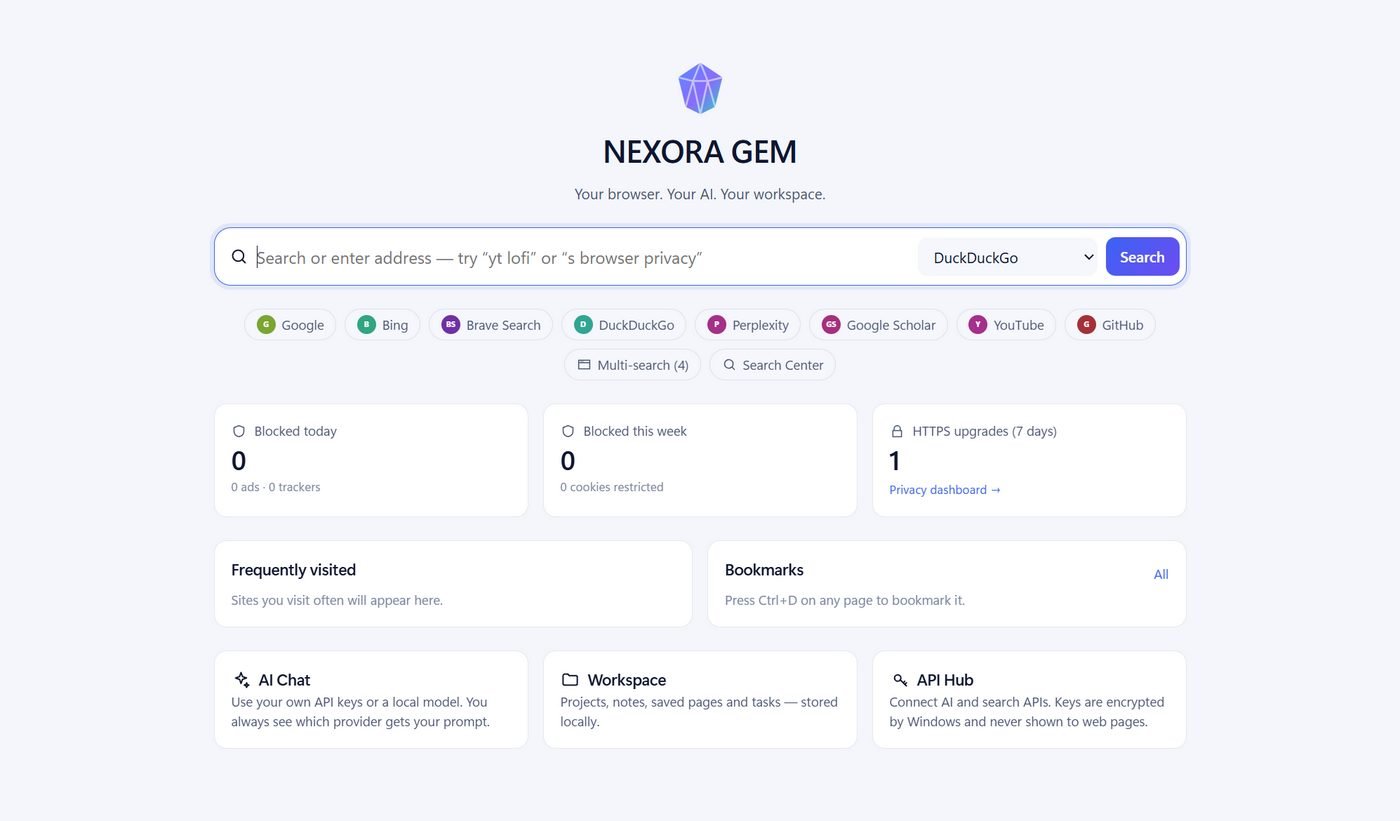
Everything you open ten tabs for, in one browser.
Built on Chromium, so websites work the way they do in Chrome. The rest is built in, with nothing extra to install.
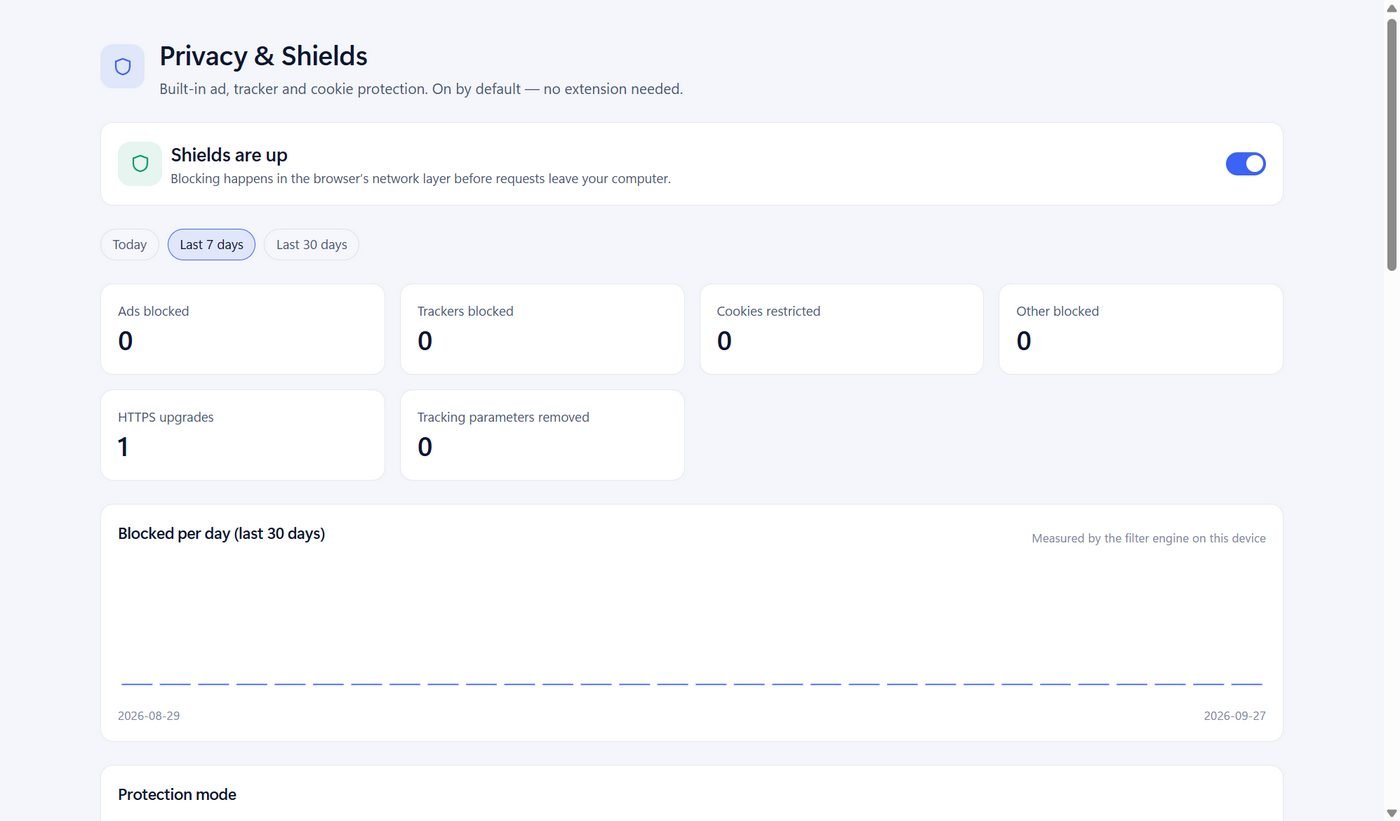
Shields on by default
Ads, trackers, cookie banners and known malware domains are blocked in the network layer, so they never download. There's a per-site switch for when you need it.
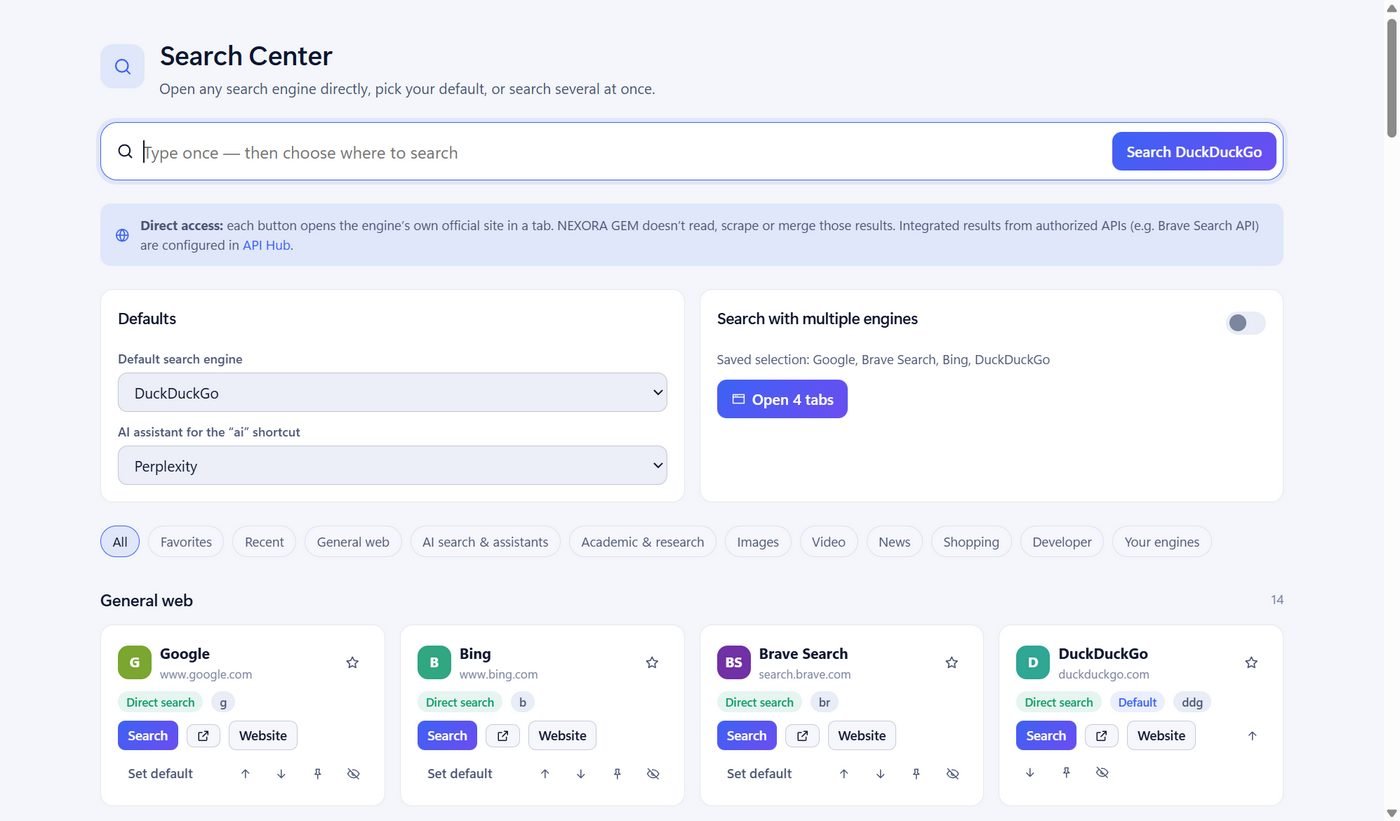
Universal Search Center
Google, Bing, DuckDuckGo, Brave, Perplexity, Scholar, YouTube, GitHub and 47 more. Type yt lofi or s privacy, or search four engines at once.
AI chat with all sources
Ask once and NEXORA GEM gathers evidence from web search APIs, Wikipedia, scholarly indexes, developer sites and your own saved pages. Your model then answers with numbered citations.
API Hub and encrypted vault
Connect OpenAI, Anthropic, Gemini, Ollama, Brave Search and more than 100 others. Keys are encrypted by Windows, never shown to web pages, and every connection test is real.
Data Collector
Save any page as structured data (headings, tables, product info) with one click, or turn on auto-collect for sites you choose. Export to JSON or CSV. It never runs on login, payment or private pages.
Chrome friendly
Import bookmarks and history from Chrome, Edge or Brave. Install extensions straight from the Chrome Web Store, and open any page in Chrome with one click.
See it in action.
These are real screenshots from the current build.
Your browsing stays on your computer.
No account, no sign-in, no tracking. Everything is saved in your Windows profile, and you can see and delete all of it.
- No telemetryThe browser doesn't report your activity anywhere. It only goes online for the sites you visit, filter-list updates, and services you connect.
- You pick the AINothing is sent to an AI until you add a key or a local model. The chat always shows which provider gets your question, and a "local only" mode keeps it on your PC.
- Safer by defaultHTTPS is tried first, tracking parameters are stripped from links, third-party cookies are restricted, and every tab runs sandboxed.
- This page doesn't track you eitherNo analytics or ad scripts on browser.fibvo.com.
Get NEXORA GEM for Windows
It's free. The installer lets you choose a folder, adds desktop and Start-menu shortcuts, and doesn't need administrator rights.
- Version
- 0.1.0 (early preview)
- System
- Windows 10 or 11, 64-bit
- Size
- 111 MB
- Engine
- Chromium 152 (Electron 44)
SHA-256 (SHA256SUMS.txt):
c4c7e3e7e831a89f38c916733c8cf106e356bf40fb955bb123809f32ca9a82c8
- Open the downloaded
NEXORA-GEM-Setup-0.1.0.exe. - If SmartScreen appears, click More info, then Run anyway.
- Pick an install folder and finish the setup.
- Launch NEXORA GEM. Shields are already on; pick a default search engine and start browsing.
To check the file first, run this in PowerShell and compare the result with the hash on the left:Get-FileHash .\NEXORA-GEM-Setup-0.1.0.exe -Algorithm SHA256
Questions
Is NEXORA GEM free?
Yes. The browser, ad blocking, Search Center and Data Collector are free. AI chat uses your own API keys (billed by that provider) or a free local model such as Ollama. Many sources in "All sources" mode, like Wikipedia and arXiv, need no key at all.
Will websites work like they do in Chrome?
Yes. NEXORA GEM renders pages with Chromium, the engine inside Chrome. If a site misbehaves because of blocking, turn Shields off for that site from the toolbar.
Can I use my Chrome extensions and bookmarks?
You can import bookmarks and history from Chrome, Edge and Brave, and install extensions from the Chrome Web Store. Most content-script extensions such as Dark Reader work. Extensions that rely on Chrome-only features may not.
Where are my API keys stored?
They're encrypted with Windows' own data protection and kept in your profile folder. They never reach web pages or the browser's interface.
Why does Windows warn me when I install it?
This early preview isn't signed with a code-signing certificate yet, so SmartScreen doesn't recognise it. Check the SHA-256 hash above if you want to confirm the file hasn't been changed.
Does uninstalling delete my data?
No. Uninstalling removes the app but keeps your profile (bookmarks, settings, collected data) in %APPDATA%\NEXORA GEM. Delete that folder if you want everything gone.
Is there a Mac or Linux version?
Not yet. This preview has only been tested on Windows.